
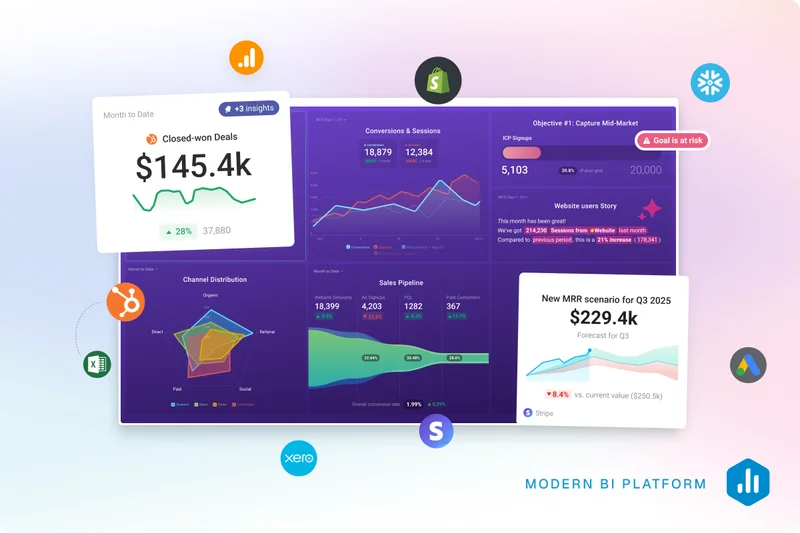
Businesses today are drowning in data. From marketing tools to CRMs, analytics platforms, finance systems, and product tools, every part of a business generates numbers. These numbers are supposed to help you make better decisions.
But in reality, most teams still struggle.
They spend hours exporting reports, building dashboards, digging through spreadsheets, and trying to understand what is actually happening.
The problem is not data.
The problem is turning data into insights.
This is exactly where Databox Genie, the AI Analyst comes in.
What Is Databox Genie (AI Analyst)?
Databox Genie is an AI-powered analyst built inside the Databox platform.
Instead of manually analyzing data, you can simply ask questions in plain English and get instant answers.
Think of it like having a dedicated data analyst available anytime.
You can ask things like:
What were my best performing marketing channels last month?
How did revenue change this quarter?
Which campaigns generated the most leads?
What trends should I focus on right now?
Genie processes your data and gives you clear, actionable insights in seconds.
👉 Try Genie here: https://aicavo.com/visit/databox-genie
Why Traditional Reporting Is Slow and Inefficient
Let’s be honest. Most businesses still follow a very outdated reporting process.
It usually looks like this:
Export data from multiple tools
Combine everything into spreadsheets
Build dashboards or charts
Manually analyze trends
Share reports with the team
This process has several problems.
First, it is slow. It can take hours or even days to prepare a single report.
Second, it requires expertise. Not everyone knows how to analyze complex datasets.
Third, by the time the report is ready, the data might already be outdated.
This creates a situation where teams spend more time preparing data than actually using it.
That is a serious productivity bottleneck.
How Genie Changes the Way Teams Use Data
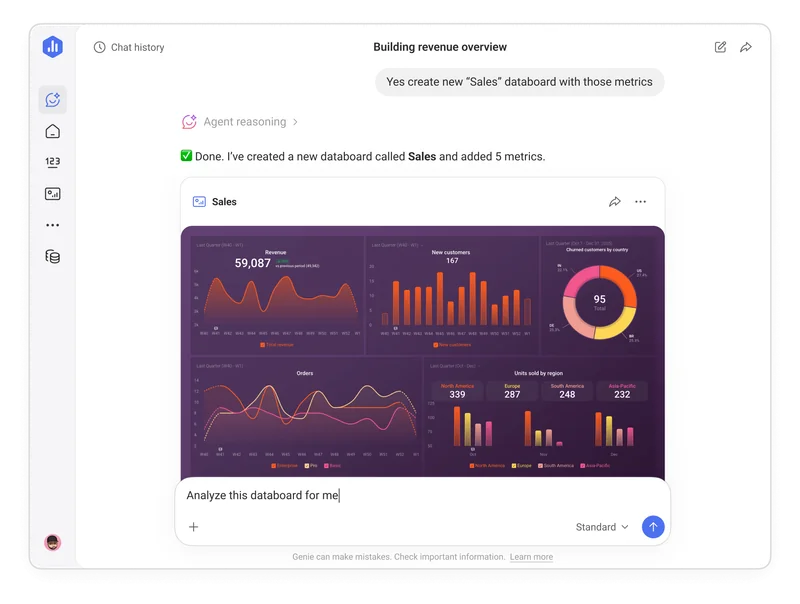 Genie completely changes how businesses interact with their data.
Instead of building reports manually, you can simply ask questions and get answers instantly.
Here is how different roles can use it:
Marketing Managers
A marketing manager can ask:
Which campaigns generated the most conversions last month?
Which channel has the highest ROI?
Instead of switching between multiple tools, everything is available in one place.
Sales Teams
Sales leaders can ask:
What does the pipeline look like over the last 90 days?
Which deals are most likely to close?
This helps them take action faster.
Founders and Executives
Executives usually do not want to navigate dashboards.
They want quick answers like:
Are we growing?
What is driving revenue?
Where should we focus?
Genie gives them exactly that.
Create Dashboards and Metrics Using Simple Prompts
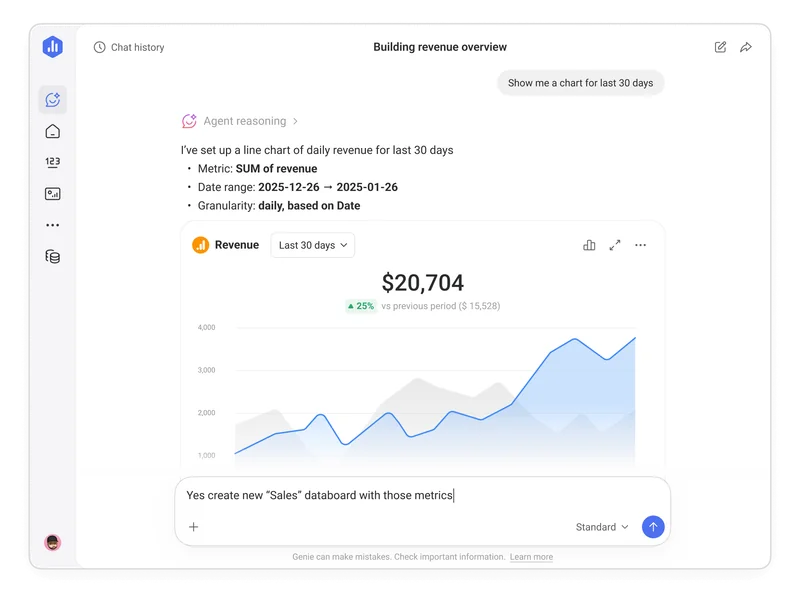 One of the most powerful features of Genie is its ability to create things for you.
Instead of manually building dashboards, you can simply describe what you need.
For example:
Create a dashboard showing revenue trends for the last 6 months
Show me conversion rates by channel
Build a report comparing this month vs last month
Genie handles everything.
This saves hours of manual work.
Understand Why Your Numbers Are Changing
Most analytics tools show you what is happening.
Genie goes a step further.
It explains why things are happening.
For example, instead of just showing a drop in traffic, Genie might tell you:
Which channel caused the drop
When the change started
What might be the reason
This kind of insight is extremely valuable because it helps teams act faster.
Personalized Insights Based on Your Business
Every business is different.
What matters to a SaaS company is different from what matters to an agency or an e-commerce store.
Genie is designed to deliver insights based on your connected data and business metrics.
Advanced customization, like defining goals and business context, is expected in future updates, which will make insights even more tailored.
Real Use Cases of Databox Genie
Let’s look at how real teams can use Genie.
1. Marketing Teams
Marketing teams deal with multiple platforms like Google Ads, Facebook Ads, SEO tools, and analytics dashboards.
Genie simplifies everything.
You can ask:
Which channels are driving the most traffic?
What campaigns are generating leads?
How is performance changing month over month?
Instead of opening multiple tabs, you get everything in one place.
2. Agencies
Agencies manage multiple clients.
Reporting can become overwhelming.
Genie helps agencies:
Quickly analyze client performance
Identify winning and losing campaigns
Prepare insights before meetings
This allows agencies to focus more on strategy rather than reporting.
3. SaaS Businesses
SaaS teams track metrics like MRR, churn, and user growth.
With Genie, they can ask:
How is MRR trending?
What is causing churn?
Which acquisition channels bring the best users?
This helps them make better growth decisions.
4. Executives and Leadership
Leaders need clarity, not complexity.
Genie gives them:
Quick summaries
Clear insights
Actionable recommendations
No dashboards. No confusion.
Just answers.
Real Example: From Question to Decision Using Genie
Let’s walk through a real example of how Genie works in practice.
Step 1: Ask a question
A marketing manager asks:
👉 “Which marketing channel drove the most conversions last month?”
Step 2: Genie analyzes the data
Genie pulls data from connected sources like Google Analytics and ad platforms and responds with something like:
Google Ads: 1,240 conversions
Organic Search: 860 conversions
Facebook Ads: 540 conversions
It may also highlight that Google Ads conversions increased by 18% compared to the previous month.
Step 3: Genie provides insights
Instead of just numbers, Genie explains:
Conversion growth is mainly driven by branded search campaigns
Organic traffic is stable but not growing
Facebook Ads performance declined slightly
Step 4: Take action
Based on this insight, the team decides to:
Increase budget on high-performing Google Ads campaigns
Optimize SEO content to grow organic traffic
Review and improve Facebook Ads targeting
This is where Genie becomes powerful.
It does not just show data. It helps teams understand what is happening and what to do next.
How Databox Works With Genie
Databox itself is a powerful analytics platform.
It connects with dozens of tools, including:
Google Analytics
HubSpot
Salesforce
Facebook Ads
Stripe
Google Ads
Once your data is connected, everything is centralized.
Genie then sits on top of this data and helps you interact with it.
This combination is what makes it so powerful.
Genie vs ChatGPT or Claude for Data Analysis
You might wonder, why not just use ChatGPT or Claude to analyze data?
While general AI tools are powerful, they have a major limitation.
They do not have direct access to your business data.
To use them, you typically need to:
Export data into CSV files
Copy and paste information manually
Explain context again and again
This process is slow and error-prone.
Databox Genie works differently.
It connects directly to your live data sources like Google Analytics, HubSpot, or Stripe.
That means:
No manual data exporting
No repeated explanations
Insights are always based on real, up-to-date data
This makes Genie far more practical for ongoing business analytics.
Why Genie Matters in Today’s Data-Driven World
We live in a time where businesses have more data than ever before.
But more data does not automatically mean better decisions.
In fact, too much data often creates confusion.
Genie solves this problem by making analytics simple and accessible.
Instead of relying on analysts or complex tools, anyone can use it.
This leads to:
Faster decision making
Better understanding of performance
Less time wasted on reporting
More focus on growth
Genie vs Traditional Analytics Tools
Let’s compare quickly.
Traditional Tools
Initial data connection required (quick and no-code in Databox)
Complex dashboards
Time consuming
Need expertise
Genie AI Analyst
Ask questions in plain English
Instant insights
No technical skills required
Saves hours every week
This is why AI-driven analytics is becoming the future.
Best Practices to Get the Most Out of Genie
To fully benefit from Genie, here are some tips:
1. Connect All Your Data Sources
The more data Genie has, the better insights it can provide.
2. Ask Specific Questions
Instead of asking general questions, be specific.
Example:
Bad: How is performance?
Better: Which marketing channel drove the most conversions last month?
3. Use It Regularly
The more you use Genie, the more valuable it becomes.
Make it part of your daily workflow.
4. Train It With Your Business Context
Define your metrics and goals so Genie can give more accurate insights.
Is Databox Genie Worth It?
If your team struggles with data analysis, the answer is yes.
Genie is especially useful for:
SaaS founders
Marketing teams
Agencies
Small to medium businesses
It removes the complexity of analytics and makes data accessible to everyone.
Instead of spending hours on reports, you can focus on making decisions.
Final Thoughts
AI is changing how businesses work with data.
Instead of manually analyzing reports, tools like Databox Genie allow you to simply ask questions and get answers instantly.
This shift is powerful.
It saves time, reduces complexity, and helps teams move faster.
If you want to understand your data without spending hours on dashboards, Genie is worth exploring.
👉 Try Databox Genie here: https://aicavo.com/visit/databox-genie
FAQs
What is Databox Genie?
Databox Genie is an AI-powered analyst that helps you analyze business data using simple questions.
Do I need technical skills to use Genie?
No. It is designed for non-technical users as well.
Can Genie replace a data analyst?
It can handle many tasks automatically, but for advanced analysis, human expertise is still useful.
What tools does Databox support?
It integrates with tools like Google Analytics, HubSpot, Salesforce, Stripe, and more.