

Writing a research paper is a demanding task. It requires clear thinking, strong arguments, proper structure, and precise language. Even when the research itself is solid, weak writing can reduce its impact. Many students, researchers, and academics face difficulties in explaining complex ideas clearly, maintaining an academic tone, and editing long documents efficiently.
Research writing also involves multiple revisions. Drafts go through editing, rewriting, and reviewer feedback. This process takes time and mental energy. AI tools for research paper writing are designed to support this stage of the work. They help improve clarity, grammar, structure, and flow while keeping the original meaning intact.
It is important to understand that AI tools do not replace research skills. They do not generate valid experiments, original theories, or citations. Their role is to assist with writing quality, especially during editing, rewriting, and final preparation before submission.
In this article, we cover the top 15 AI tools for research paper writing. Each tool is explained in detail with real use cases, pricing overview, and clear reasons why it is useful for academic work.
How AI Fits into Research Paper Writing
AI tools are most effective in the following research writing stages:
Editing early drafts for clarity
Rewriting complex or unclear paragraphs
Improving academic tone and sentence flow
Paraphrasing literature review content
Final proofreading before submission
When used correctly, these tools help researchers communicate ideas more clearly and reduce language-related rejection risks.
1. Paperpal – Designed for Academic and Research Writing
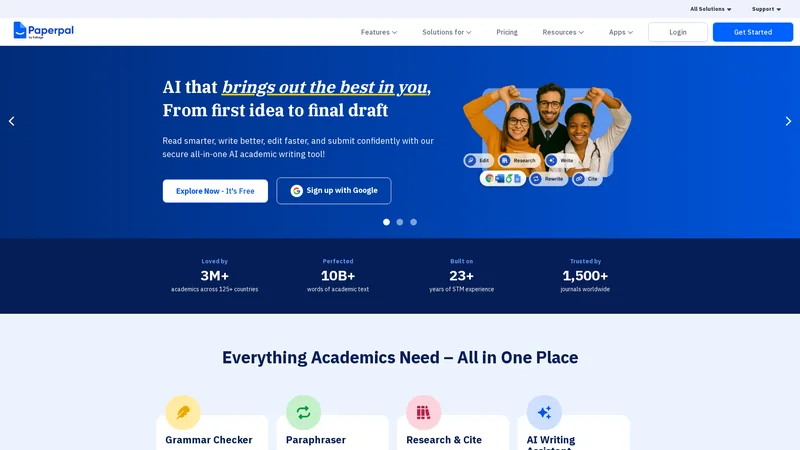 Paperpal is one of the few AI tools built specifically for academic and research writing. It is designed to meet the language and tone requirements of journals, conferences, and universities.
Why should you use Paperpal?
Paperpal understands academic language patterns. Its suggestions focus on clarity, correctness, and formality rather than casual or marketing-style writing. This makes it suitable for serious research work where tone and precision matter.
It is especially useful when papers are returned with comments related to language quality or readability. Paperpal helps refine sentences without changing the scientific meaning.
Key features for research papers
Academic grammar and syntax correction
Context-aware sentence rewriting
Formal tone consistency
Clarity improvement for complex ideas
The tool is trained on scholarly writing, which reduces the risk of inappropriate wording.
Pricing overview
Paperpal offers:
A free version with limited usage
Paid plans designed for students, researchers, and institutions
The paid version is better suited for long documents like theses and journal manuscripts.
Best use cases
Paperpal is ideal for:
Journal article editing
Thesis and dissertation writing
Conference paper preparation
Revising papers after peer-review feedback
For academic submission work, Paperpal is one of the most reliable tools available.
2. Grammarly – Grammar and Clarity Support for Research Drafts
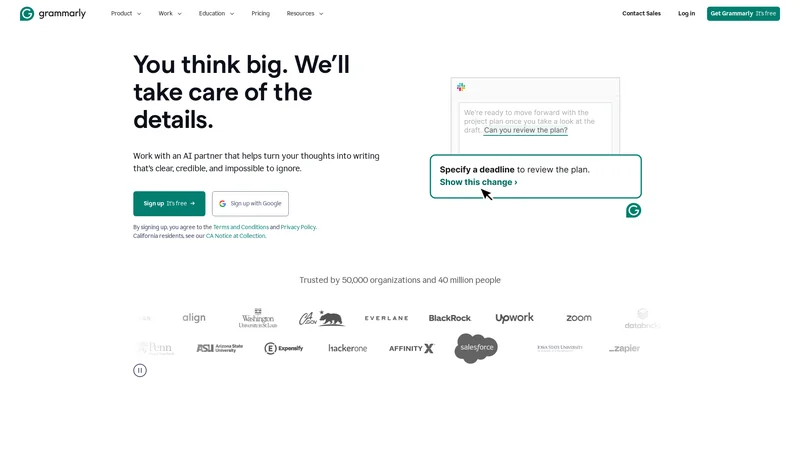 Grammarly is widely used across many writing fields, including academic writing. While it is not designed only for research papers, it can still provide strong editing support when used carefully.
Why should you use Grammarly?
Grammarly is very effective at identifying grammar mistakes, punctuation errors, and unclear sentence construction. It helps clean up drafts and improves readability, especially in early or final editing stages.
For research papers, Grammarly is most helpful after the content structure is finalized.
Key features for research papers
Advanced grammar and punctuation checking
Sentence clarity suggestions
Consistency in writing style
Plagiarism detection (premium version)
The explanations provided by Grammarly also help writers understand recurring language issues.
Pricing overview
Grammarly provides:
A free plan for basic grammar checks
A premium plan with advanced clarity and plagiarism tools
For research writing, the premium version offers more practical value.
Best use cases
Grammarly works well for:
Final proofreading before submission
Editing abstracts and introductions
Fixing grammar issues in proposals
Improving clarity in discussion sections
It is best used as an editing assistant, not a content generator.
3. ProWritingAid – Deep Writing Analysis for Long Research Documents
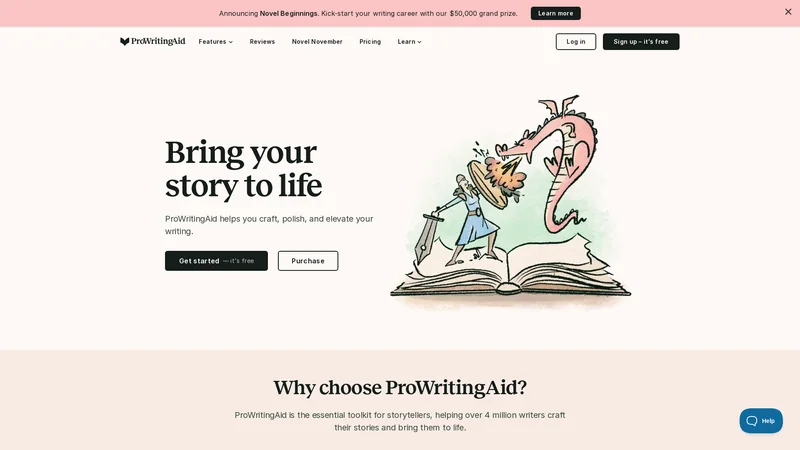 ProWritingAid focuses on writing quality at a deeper level. It is especially useful for long research papers where structure, flow, and repetition become issues.
Why should you use ProWritingAid?
Research documents often contain long sentences, repeated phrases, and uneven readability. ProWritingAid identifies these issues and explains where improvements can be made.
It is helpful not only for fixing problems but also for improving writing skills over time.
Key features for research papers
Sentence length and readability analysis
Repeated word and phrase detection
Writing style and structure reports
Clarity and flow insights
These features help make complex academic writing easier to follow.
Pricing overview
ProWritingAid offers:
A free version with limited reports
Paid monthly, yearly, and lifetime plans
The lifetime plan is popular among long-term academic writers.
Best use cases
ProWritingAid is best for:
Thesis and dissertation drafts
Long research articles
Review papers
Improving overall academic writing consistency
It is particularly useful for documents that go through multiple revisions.
4. QuillBot – Paraphrasing and Rewriting for Research Text
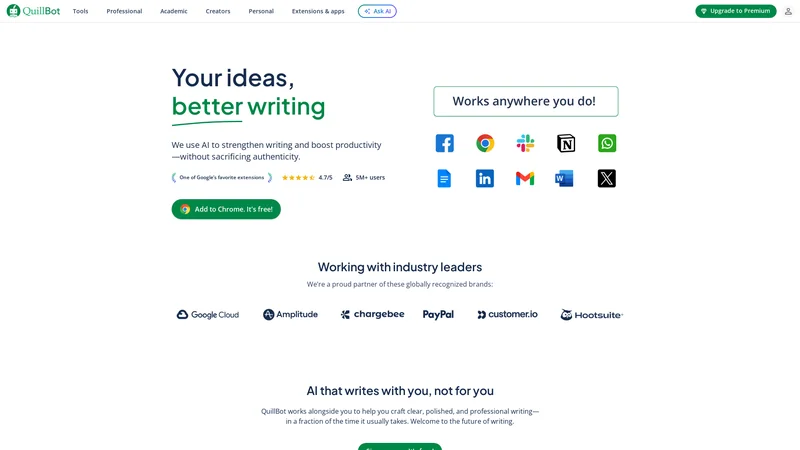 QuillBot is one of the most widely used AI tools for paraphrasing and rewriting academic content. It is especially useful in research writing where similar ideas need to be expressed differently without changing meaning.
Why should you use QuillBot?
Research papers often require paraphrasing, particularly in literature review sections. Using the same sentence structure repeatedly or copying wording too closely can weaken a paper. QuillBot helps rewrite sentences while keeping the original idea intact.
It is also useful for simplifying overly complex sentences and improving flow without reducing academic value.
Key features for research papers
Advanced paraphrasing modes
Sentence restructuring without meaning loss
Grammar and fluency improvements
Built-in citation support (basic level)
Different modes allow you to control how formal or simple the rewritten text should be.
Pricing overview
QuillBot offers:
A free plan with limited rewriting
A paid plan that unlocks longer inputs, more modes, and faster processing
The paid version is recommended for long research documents.
Best use cases
QuillBot is most useful for:
Literature review paraphrasing
Rewriting repetitive explanations
Improving sentence clarity in drafts
Reducing accidental similarity in research writing
It should be used carefully to ensure technical meaning remains accurate.
5. SciSpace – Research-Focused Writing and Understanding Tool
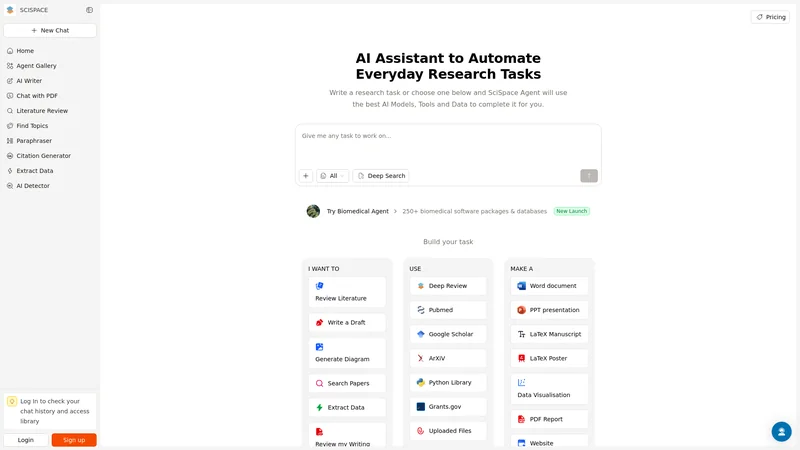 SciSpace is built specifically for researchers and academic users. It is not just an editing tool but a platform designed to help understand, write, and improve research content.
Why should you use SciSpace?
SciSpace helps researchers break down complex academic content into clearer explanations. It is especially useful when working with technical or scientific papers where clarity is critical.
It supports research writing by improving explanations, summarizing complex sections, and assisting with academic language refinement.
Key features for research papers
Research-focused text explanations
AI-assisted academic writing support
Paper summarization
Context-aware sentence improvements
SciSpace is particularly helpful when dealing with dense or highly technical material.
Pricing overview
SciSpace provides:
A free plan with basic features
Paid plans for advanced research tools and extended usage
The paid version is better suited for regular research work.
Best use cases
SciSpace works best for:
Understanding complex research papers
Improving clarity in technical sections
Writing scientific explanations
Supporting early-stage research drafting
It is commonly used by PhD students and academic researchers.
6. Wordtune – Sentence-Level Clarity and Academic Rewriting

Wordtune focuses on rewriting sentences to make them clearer, more formal, or more precise. It is especially useful when your idea is correct but the wording feels weak or awkward.
Why should you use Wordtune?
Research writing often suffers from unclear phrasing rather than incorrect information. Wordtune helps express ideas more effectively without changing their meaning.
It allows writers to compare multiple sentence variations and choose the most appropriate one.
Key features for research papers
Sentence rewriting with tone control
Formal and concise rewriting options
Context-aware suggestions
Real-time sentence improvement
Wordtune works well as a sentence-level improvement tool rather than a full document editor.
Pricing overview
Wordtune offers:
A free plan with limited rewrites
Paid plans with extended rewriting and tone options
For research writing, the paid plan provides more flexibility.
Best use cases
Wordtune is ideal for:
Improving abstracts and introductions
Refining discussion and conclusion sections
Clarifying complex explanations
Polishing reviewer-response revisions
It is best used alongside other editing tools.
7. LanguageTool – Advanced Grammar Checking with Academic Support
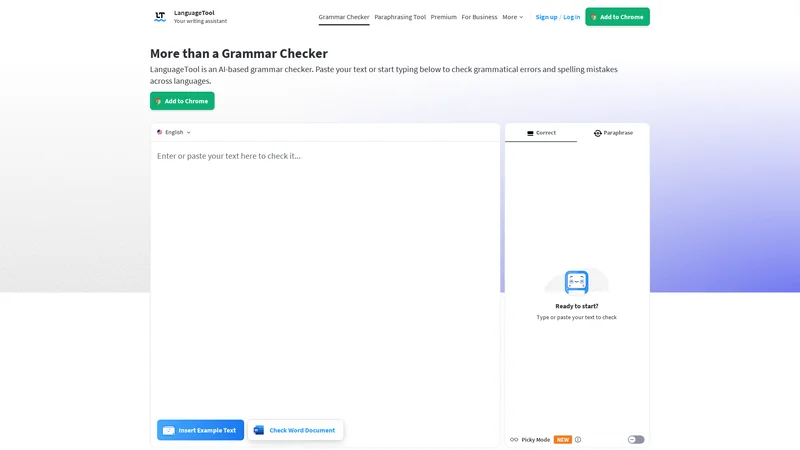 LanguageTool is a powerful grammar and style checker that supports academic writing and multiple languages. It is often used as an alternative to Grammarly.
Why should you use LanguageTool?
LanguageTool catches grammar and punctuation issues that some other tools miss. It also helps improve sentence structure and style without forcing casual language.
It is especially helpful for researchers who write in English but also work with other languages.
Key features for research papers
Advanced grammar and punctuation checks
Academic-style sentence suggestions
Multi-language support
Privacy-focused writing analysis
LanguageTool works quietly in the background and improves consistency across documents.
Pricing overview
LanguageTool provides:
A free version with basic corrections
A premium version with advanced grammar and style checks
The premium version is more suitable for long academic documents.
Best use cases
LanguageTool is best for:
Editing full research drafts
Multi-language academic writing
Grammar-focused proofreading
Maintaining formal writing tone
It is a strong choice for researchers who want a reliable grammar checker without heavy rewriting.
8. Jasper – Refining Explanations and Improving Flow
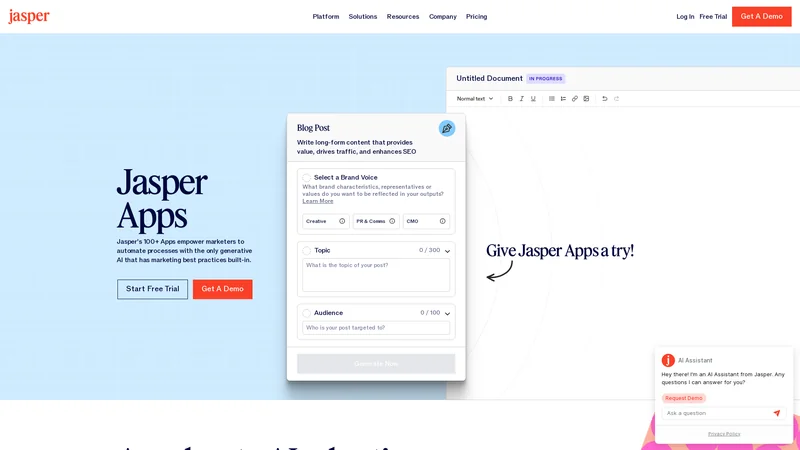 Jasper is often known as a content writing tool, but when used carefully, it can also support research paper writing, especially for improving clarity and flow in explanatory sections.
Why should you use Jasper?
In research papers, sections like the introduction, background, and discussion often need clear explanations rather than data-heavy writing. Jasper helps rewrite paragraphs to improve sentence flow and readability without changing the core idea.
It is useful when your writing feels correct but difficult to follow. Jasper can help restructure explanations so that ideas progress more smoothly.
Key features for research papers
Paragraph-level rewriting
Clarity and flow improvement
Tone control for formal writing
Context-aware editing
Jasper works best when you guide it carefully and review all suggestions.
Pricing overview
Jasper offers:
Paid plans only
Monthly and yearly subscription options
It is priced higher than basic editing tools, so it is best used selectively.
Best use cases
Jasper is useful for:
Improving introductions and background sections
Refining discussion and conclusion writing
Rewriting explanations for better flow
Editing reviewer response text
It should support your writing, not replace academic judgment.
9. Writefull – Academic Language Feedback from Real Research Texts
 Writefull is designed specifically for academic writers. It focuses on improving language accuracy by comparing your writing to real published research texts.
Why should you use Writefull?
Writefull checks whether your word choices and sentence structures match common academic usage. This is especially useful for non-native English researchers who want their writing to sound natural in an academic context.
It helps reduce awkward phrasing and improves language precision.
Key features for research papers
Academic language feedback
Sentence usage comparison
Grammar and wording checks
Integration with research writing tools
Writefull focuses more on correctness and natural academic usage than rewriting.
Pricing overview
Writefull provides:
A free version with limited checks
Paid plans for advanced academic feedback
Paid plans are more suitable for frequent research writing.
Best use cases
Writefull works best for:
Journal manuscript polishing
Improving academic phrasing
Editing abstracts and methods sections
Language refinement before submission
It is particularly valuable for improving confidence in academic English.
10. Elicit – Research Assistance and Writing Support
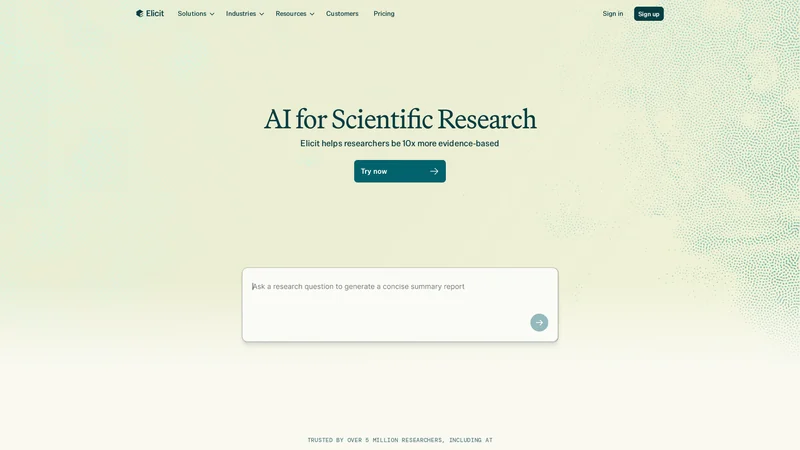 Elicit is an AI research assistant that supports both research and writing. It helps with finding, summarizing, and explaining academic information.
Why should you use Elicit?
Elicit helps researchers organize information and explain research findings more clearly. While it is not a traditional editor, it supports writing by helping structure explanations and summaries.
It is useful when drafting literature reviews or explaining research context.
Key features for research papers
Research question assistance
Paper summarization
Evidence-based explanation support
Structured research insights
Elicit focuses more on research understanding than grammar correction.
Pricing overview
Elicit offers:
A free plan with core features
Paid plans with advanced research capabilities
The free version is often sufficient for basic research support.
Best use cases
Elicit is ideal for:
Literature review drafting
Summarizing research findings
Organizing research arguments
Supporting early-stage research writing
It works best alongside editing-focused AI tools.
11. Trinka – Grammar and Language Correction for Academic Writing
Trinka is an AI grammar and language correction tool designed specifically for academic and technical writing.
Why should you use Trinka?
Trinka focuses on grammar, tone, and clarity in academic documents. It understands formal writing requirements and avoids casual language suggestions.
It is especially helpful for technical and scientific writing where precision matters.
Key features for research papers
Academic grammar correction
Technical writing support
Formal tone suggestions
Consistency checks
Trinka is designed to align with journal and institutional standards.
Pricing overview
Trinka provides:
A free version with limited checks
Paid plans for advanced grammar and style analysis
Paid plans are more suitable for long or complex research papers.
Best use cases
Trinka works well for:
Technical and scientific papers
Journal-ready manuscript editing
Engineering and medical research writing
Formal academic document preparation
It is a strong option for discipline-specific research writing.
12. ResearchRabbit – Supporting Literature Review Writing
ResearchRabbit is an AI-powered research discovery tool that indirectly supports research paper writing by helping researchers organize and understand relevant literature.
Why should you use ResearchRabbit?
A strong research paper depends on a well-written literature review. ResearchRabbit helps you discover related papers, understand research connections, and organize sources. This makes it easier to write structured and coherent literature review sections.
While it does not edit grammar, it supports writing by improving research understanding and structure.
Key features for research papers
Literature discovery and mapping
Related paper recommendations
Visual research network exploration
Research organization support
ResearchRabbit helps writers understand how studies connect, which improves writing clarity.
Pricing overview
ResearchRabbit offers:
A free plan for core features
Optional paid features for advanced research workflows
The free version is often enough for most researchers.
Best use cases
ResearchRabbit is useful for:
Literature review planning
Understanding research landscapes
Organizing references before writing
Supporting background section writing
It works best alongside writing-focused AI tools.
13. Scite – Improving Citation Context in Research Writing
Scite helps researchers understand how papers are cited, which improves how sources are discussed and referenced in research writing.
Why should you use Scite?
Scite shows whether a paper is cited as supporting, contrasting, or mentioning another work. This helps researchers write more accurate and meaningful citation sentences.
It improves the quality of literature review and discussion sections.
Key features for research papers
Smart citation context analysis
Citation classification
Evidence-based reference support
Research credibility insights
Scite helps avoid weak or misleading citations.
Pricing overview
Scite provides:
Limited free access
Paid plans for full citation analysis and exports
Paid access is helpful for heavy research use.
Best use cases
Scite is best for:
Writing literature review sections
Strengthening citation explanations
Supporting argument credibility
Academic referencing clarity
It is a valuable tool for citation-aware writing.
14. Scholarcy – Summarizing Research for Clear Writing
Scholarcy helps researchers summarize long academic papers into key points, which supports clearer and more focused writing.
Why should you use Scholarcy?
Research papers often involve reading large amounts of literature. Scholarcy helps extract key findings, methods, and conclusions, making it easier to write accurate summaries.
This improves writing speed and reduces information overload.
Key features for research papers
Automated research summaries
Key point extraction
Reference organization
Table and figure extraction
Scholarcy supports efficient research comprehension.
Pricing overview
Scholarcy offers:
A free plan with limited summaries
Paid plans for extended use and exports
Paid plans are useful for regular literature review work.
Best use cases
Scholarcy works well for:
Literature review preparation
Writing background sections
Summarizing multiple research papers
Supporting systematic reviews
It helps writers focus on key ideas rather than raw text.
15. Writecream – Editing and Rewriting Research Drafts
Writecream is an AI writing and editing tool that can support research paper writing when used for clarity and refinement.
Why should you use Writecream?
Writecream helps rewrite sentences, improve grammar, and enhance readability. It is useful when research drafts feel rough or poorly structured.
It should be used mainly for editing and rewriting rather than content generation.
Key features for research papers
Sentence and paragraph rewriting
Grammar and clarity improvement
Tone refinement
Draft polishing support
Writecream is simple to use and works well for quick revisions.
Pricing overview
Writecream offers:
A free plan with limited usage
Paid plans for extended editing and rewriting
The paid version is better for longer documents.
Best use cases
Writecream is suitable for:
Editing early research drafts
Improving clarity in explanations
Rewriting sections for better flow
Polishing documents before submission
It works best when combined with academic-focused tools.
Comparison Table: Best AI Tools for Research Paper Writing
Tool Name | Primary Purpose | Best For | Pricing Type |
|---|---|---|---|
Paperpal | Academic editing & tone | Journal papers, thesis | Free + Paid |
Grammarly | Grammar & clarity | Final proofreading | Free + Paid |
ProWritingAid | Deep writing analysis | Long research papers | Free + Paid |
QuillBot | Paraphrasing | Literature reviews | Free + Paid |
SciSpace | Research explanation | Technical writing | Free + Paid |
Wordtune | Sentence rewriting | Abstracts, discussion | Free + Paid |
LanguageTool | Grammar & style | Multi-language research | Free + Paid |
Jasper | Flow & clarity | Background, discussion | Paid |
Writefull | Academic phrasing | Manuscript polishing | Free + Paid |
Elicit | Research assistance | Literature review writing | Free + Paid |
Trinka | Academic grammar | Technical disciplines | Free + Paid |
ResearchRabbit | Literature discovery | Background sections | Free |
Scite | Citation context | Literature review accuracy | Free + Paid |
Scholarcy | Research summarization | Reviewing papers | Free + Paid |
Writecream | Draft rewriting | Early-stage drafts | Free + Paid |
Frequently Asked Questions (FAQs)
1. Can AI tools write a full research paper for me?
No. AI tools should not be used to write full research papers from scratch. They are designed to support editing, rewriting, summarizing, and improving clarity. The research idea, methodology, data, and conclusions must come from the researcher.
2. Is it acceptable to use AI tools in academic research writing?
In most cases, yes — when used for language improvement, grammar correction, and clarity. Many universities and journals allow AI-assisted editing. However, using AI to generate research content or fabricate data is not acceptable.
Always check your institution’s guidelines.
3. Which AI tool is best for thesis or dissertation writing?
Paperpal and ProWritingAid are among the best options for thesis and dissertation writing. They are designed for long academic documents and help maintain formal tone and structure across large texts.
4. Can AI tools help reduce plagiarism?
AI tools like QuillBot and Writefull can help paraphrase text and improve originality. However, they do not guarantee plagiarism-free content. Always review rewritten text and use proper citations.
5. Are free AI tools enough for research paper writing?
Free versions are useful for basic editing and testing tools. However, for long research papers or frequent academic writing, paid plans offer better value, deeper analysis, and fewer limitations.
6. Should I use more than one AI tool?
Yes, many researchers use multiple tools together. For example, one tool for grammar checking, another for paraphrasing, and another for literature support. Each tool has a different strength.
7. Can AI tools replace human proofreading?
AI tools significantly reduce errors, but they do not replace careful human review. Final proofreading by the author is always recommended, especially for technical accuracy and logical flow.
Conclusion
AI tools have become an important part of modern research writing. They help researchers save time, improve clarity, and present ideas more effectively. When used responsibly, these tools strengthen writing quality without compromising academic integrity.
The key is choosing the right tool for the right task. Some tools are better for grammar and tone, others for paraphrasing, summarizing, or organizing literature. No single tool does everything perfectly, but together they create a powerful writing support system.
Researchers should view AI as a writing assistant, not a replacement for critical thinking. Strong research still depends on original ideas, sound methodology, and careful analysis. AI simply helps communicate that work more clearly and professionally.
By using the tools listed in this guide thoughtfully, students and researchers can focus more on research quality and less on language struggles — leading to stronger, more polished academic papers.