

Automation has become essential for modern businesses. Whether you manage marketing, operations, customer support, or SaaS workflows, automation helps reduce manual work and improve efficiency.
n8n is a powerful open-source workflow automation platform. It gives flexibility and control, especially for developers. However, it requires manual setup of triggers, nodes, and logic. For many businesses, this technical complexity becomes a challenge.
In 2026, automation is moving toward AI-driven systems. Instead of building workflows step by step, users can describe what they want in plain language and let AI generate the automation.
If you are looking for smarter and more scalable alternatives, here are 10 powerful options.
1. Turbotic
 Turbotic is an AI-powered automation platform that allows businesses to generate workflows using prompts instead of manually building triggers and nodes.
Unlike n8n, where you configure each step manually, Turbotic uses artificial intelligence to understand your request and automatically create the workflow structure.
For example, if you want to retrieve the latest HubSpot contacts and enrich them with company data, you simply describe the task. Turbotic builds the automation steps automatically.
Why You Should Use Turbotic
The biggest advantage of Turbotic is simplicity combined with intelligence.
Instead of:
Adding triggers manually
Configuring each node
Mapping fields step by step
Debugging workflow logic
You can:
Describe the workflow in natural language
Let AI generate the automation
Review and run the automation
This dramatically reduces setup time and removes technical barriers.
It is especially useful for founders, marketers, and business teams who want automation without heavy technical knowledge.
Key Features
AI-generated workflows from prompts
Automatic step creation
Connected app management
Environment variable handling
Automation marketplace templates
Execution tracking and analytics
It focuses on reducing friction in automation building.
Pricing Overview
Turbotic offers subscription-based pricing depending on usage and automation volume. Pricing typically scales based on runs, connected apps, and advanced AI features.
It is suitable for startups, SaaS teams, agencies, and internal business operations.
Best Use Cases
CRM automation
Marketing workflow generation
HubSpot and SaaS integrations
Data enrichment workflows
Internal operations automation
Turbotic is ideal for businesses that want AI to build workflows instead of manually designing them. It significantly reduces the time needed to create and maintain automation, especially for non-technical teams.
2. Zapier
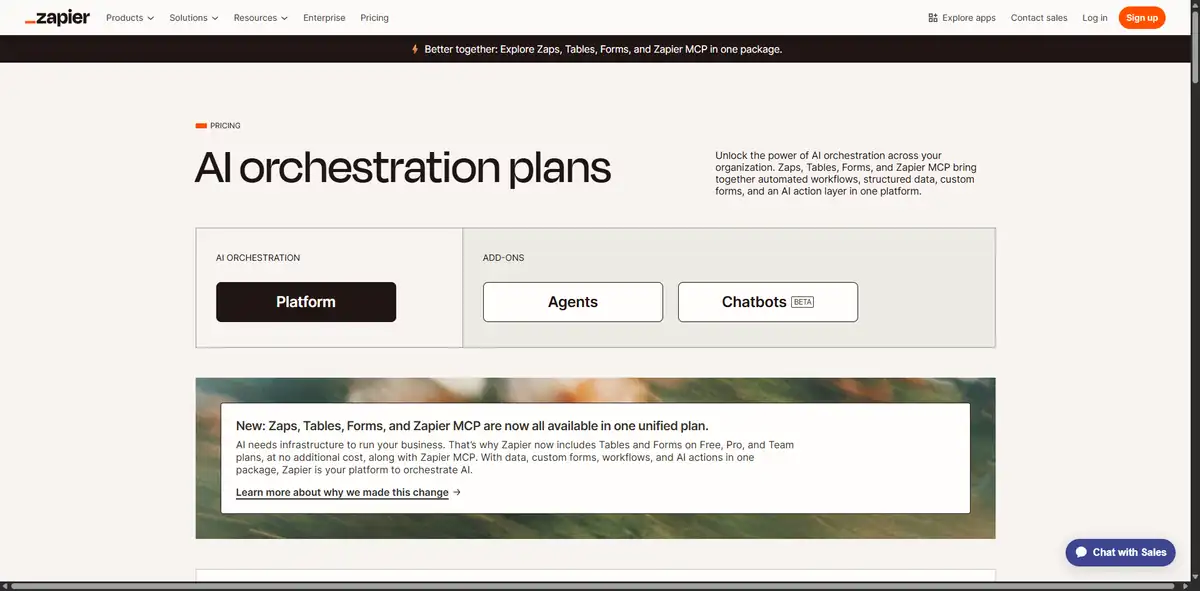 Zapier is one of the most popular cloud automation platforms.
Why You Should Use Zapier
Zapier connects thousands of apps and allows users to create trigger-based automations quickly.
It is easier than n8n but still requires manual configuration of triggers and actions.
For businesses that prefer stable cloud-based automation without server setup, Zapier is a reliable choice.
Key Features
6,000+ integrations
Multi-step workflows
App templates
Task history monitoring
Pricing Overview
Zapier offers:
Free plan with limited tasks
Paid plans based on usage
Best Use Cases
Marketing automation
Lead routing
CRM updates
E-commerce notifications
Zapier works well for businesses that want reliability and large integration support without self-hosting complexity.
3. Make
 Make provides a visual automation builder with advanced logic capabilities.
Why You Should Use Make
Make allows complex workflow design using a drag-and-drop interface. It provides more visual control than Zapier, but still requires manual building compared to AI-generated automation.
It is powerful for teams that need logic branching and data transformation.
Key Features
Visual builder
Advanced filters
Scheduling
Webhook support
Pricing Overview
Make offers for free and paid plans depending on the operation count.
Best Use Cases
Multi-step SaaS automation
Data synchronization
Advanced marketing funnels
Make suits businesses that want flexibility but are comfortable building workflows manually.
4. Microsoft Power Automate
 Microsoft Power Automate is a workflow automation platform built inside the Microsoft ecosystem. It allows businesses to automate processes across apps, services, and enterprise systems.
Why You Should Use Microsoft Power Automate
If your company already uses Microsoft 365, SharePoint, Teams, Outlook, or Dynamics, this platform integrates naturally. It allows you to automate approvals, notifications, data updates, and even robotic desktop tasks.
Compared to n8n, Power Automate is more structured and enterprise-ready. It offers built-in governance, compliance controls, and AI capabilities through Microsoft AI Builder.
For corporate environments that require security and internal process automation, it fits well.
Key Features
Deep Microsoft ecosystem integration
Robotic process automation
AI Builder for intelligent workflows
Enterprise compliance controls
Prebuilt connectors for business tools
It works well in structured corporate IT environments.
Pricing Overview
Microsoft Power Automate offers per-user and per-flow pricing models. Enterprise licensing options are available through Microsoft business subscriptions.
Pricing depends on automation complexity and scale.
Best Use Cases
Internal document approvals
HR onboarding workflows
IT ticket automation
Enterprise data synchronization
Cross-department workflow management
Microsoft Power Automate is ideal for organizations that rely heavily on Microsoft tools and want secure, structured automation. It supports complex business processes and helps standardize operations across departments. For enterprises that need compliance, auditing, and centralized management, it offers a reliable and scalable solution.
5. Workato
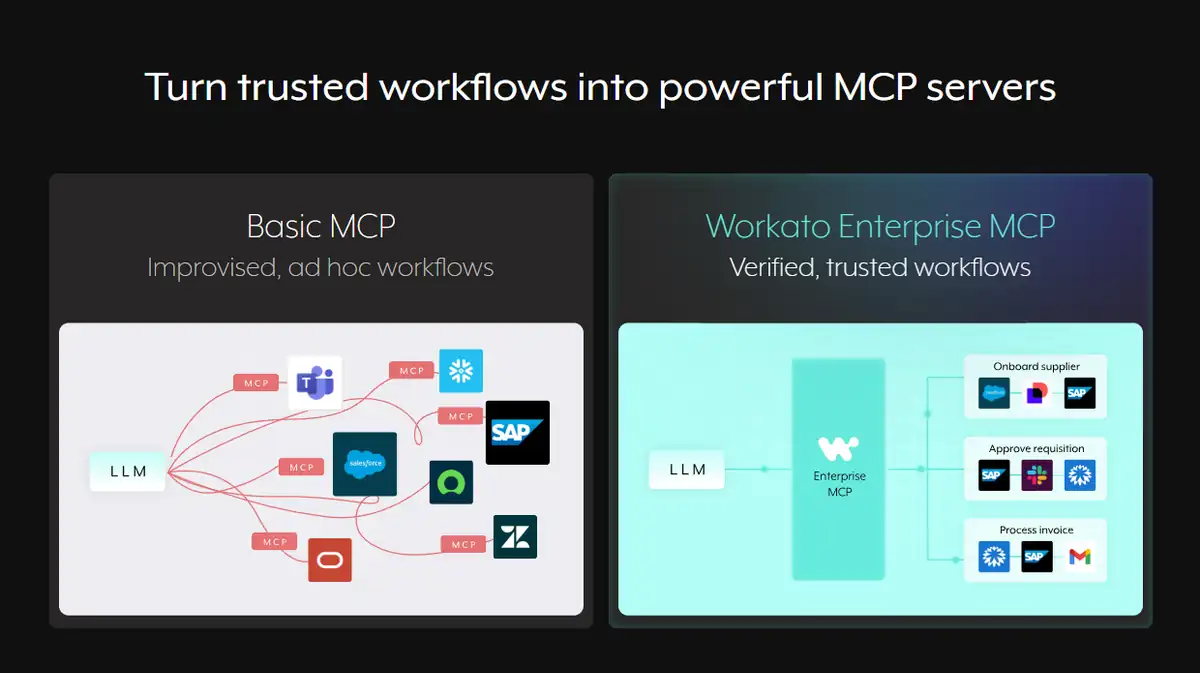 Workato is an enterprise automation and integration platform built for large-scale operations.
Why You Should Use Workato
Workato focuses on secure and scalable automation across departments. It connects SaaS tools, internal systems, and APIs.
Compared to n8n, Workato provides more governance, monitoring, and enterprise-grade infrastructure. It is built for businesses that require reliability and strong compliance standards.
It also supports complex integrations between sales, marketing, finance, and IT systems.
Key Features
Enterprise integration tools
API management
Advanced workflow automation
Secure data handling
Centralized monitoring
It is designed for mission-critical business automation.
Pricing Overview
Workato offers custom enterprise pricing based on usage, number of integrations, and automation volume.
It is generally positioned for mid-sized to large companies.
Best Use Cases
Enterprise SaaS integration
Finance and operations workflows
Large-scale internal automation
Cross-functional system synchronization
Secure business process automation
Workato works best for organizations with complex infrastructure and high automation needs. It is suitable for companies that require governance, monitoring, and scalability across multiple business units. For businesses growing rapidly or managing global operations, Workato provides stability and advanced integration capabilities.
6. Pabbly Connect
Pabbly Connect is an affordable automation platform that competes with Zapier and n8n.
Why You Should Use Pabbly Connect
Pabbly offers multi-step workflows and webhook support at competitive pricing. It is attractive for startups and small businesses that want automation without high subscription costs.
Compared to n8n, Pabbly is easier to set up because it runs fully in the cloud and does not require self-hosting.
It is simple but effective for common automation tasks.
Key Features
Multi-step automation
Real-time triggers
Webhook support
Email parsing
App integrations
It focuses on budget-friendly automation.
Pricing Overview
Pabbly Connect offers subscription plans and sometimes lifetime deals depending on promotions.
Pricing is usually lower than many enterprise platforms.
Best Use Cases
Small business automation
Marketing lead capture
E-commerce order workflows
CRM integration
Budget-conscious startups
Pabbly Connect is ideal for businesses that want affordable automation without technical setup. It works well for early-stage startups and agencies that need basic but reliable workflow automation. For companies with limited budgets, it provides strong value while covering common business needs.
7. Activepieces
Activepieces is an open-source automation tool similar in spirit to n8n.
Why You Should Use Activepieces
Activepieces provides workflow automation with both cloud and self-hosted options. It offers a user-friendly interface while maintaining open-source flexibility.
Compared to n8n, some users find Activepieces easier to configure and manage.
It is suitable for teams that want customization but prefer a cleaner interface.
Key Features
Open-source flexibility
Cloud and self-hosted options
App integrations
Webhook and API support
Workflow monitoring
It balances flexibility and usability.
Pricing Overview
Activepieces offers a free open-source version and paid cloud hosting options.
Pricing depends on hosting and feature requirements.
Best Use Cases
Developer-friendly automation
Self-hosted workflow systems
API integrations
Custom SaaS automation
Internal data processing
Activepieces works best for technical teams that want open-source control but with a more modern interface. It provides flexibility without forcing businesses into rigid enterprise pricing models. For companies that want ownership and customization, it offers a solid alternative.
8. IFTTT
IFTTT stands for “If This Then That.” It is one of the simplest automation platforms available. While it is often used for personal automation, many small businesses also use it for lightweight workflows.
Why You Should Use IFTTT
IFTTT is extremely easy to use. You select a trigger, connect an action, and activate the workflow. It does not offer the deep customization of n8n, but it is much simpler.
For businesses that only need basic automation, such as posting social media updates automatically or syncing simple notifications, IFTTT can be enough.
It works well when you want quick automation without complexity.
Key Features
Simple trigger-action model
Large library of app connections
Prebuilt automation templates
Mobile-friendly automation
It focuses on simplicity rather than complexity.
Pricing Overview
IFTTT offers:
A free plan with limited automations
Paid plans for more advanced usage
Pricing is generally affordable.
Best Use Cases
Social media auto-posting
Simple app notifications
Small business workflows
Content publishing automation
Lightweight marketing tasks
IFTTT is ideal for businesses that want extremely simple automation without technical setup. It works best for basic use cases where advanced logic and multi-step flows are not required. For small teams that need quick automation without deep integration complexity, it provides a fast and accessible solution.
9. Tray.io
Tray.io is an enterprise-grade automation and integration platform designed for scalability.
Why You Should Use Tray.io
Tray.io focuses on API-based integrations and complex workflows. Compared to n8n, it provides enterprise governance and advanced integration capabilities.
It is designed for companies that need large-scale automation across multiple SaaS platforms.
Tray.io also offers strong support and onboarding for enterprise customers.
Key Features
Visual workflow builder
API-first integration approach
Enterprise governance tools
Scalable automation architecture
Advanced data processing
It is built for serious automation needs.
Pricing Overview
Tray.io provides custom enterprise pricing based on usage and integration requirements.
It is typically positioned for mid-sized and large companies.
Best Use Cases
Enterprise SaaS integration
Revenue operations automation
Data transformation workflows
Large-scale CRM synchronization
Advanced API-based processes
Tray.io works best for organizations with complex systems and high integration demands. It supports scalable automation across departments and is suitable for companies that treat automation as a core operational strategy.
10. Automate.io Alternative: Albato
Albato is a modern automation platform designed to connect cloud apps efficiently.
Why You Should Use Albato
Albato offers a user-friendly automation builder with strong integration support. It is positioned as an affordable alternative to tools like Zapier and n8n.
Compared to n8n, Albato removes self-hosting complexity and focuses on ease of use.
It supports common SaaS tools and marketing platforms.
Key Features
Cloud-based automation
App integration library
Multi-step workflows
Conditional logic
Webhook support
It provides structured but simple automation.
Pricing Overview
Albato offers subscription-based pricing depending on task volume and features.
It is generally affordable for small and mid-sized businesses.
Best Use Cases
Marketing automation
Lead routing
CRM updates
E-commerce workflows
SaaS tool integrations
Albato is ideal for growing businesses that want reliable automation without enterprise-level complexity. It works well for teams that prefer visual builders but do not want to manage servers or open-source configurations.
Comparison Table: n8n Alternatives for Businesses
Tool | Best For | Technical Level | Hosting | Pricing Type |
|---|---|---|---|---|
Turbotic | AI-generated workflows | Low to Medium | Cloud | Free + Paid |
Zapier | App-based automation | Low | Cloud | Free + Paid |
Make | Advanced visual workflows | Medium | Cloud | Free + Paid |
Microsoft Power Automate | Enterprise Microsoft users | Medium | Cloud | Subscription |
Workato | Enterprise automation | High | Cloud | Custom |
Pabbly Connect | Budget automation | Low | Cloud | Subscription |
Activepieces | Open-source flexibility | Medium to High | Cloud + Self-hosted | Free + Paid |
IFTTT | Simple automation | Low | Cloud | Free + Paid |
Tray.io | Enterprise integration | High | Cloud | Custom |
Albato | SMB cloud automation | Low to Medium | Cloud | Subscription |
Frequently Asked Questions
1. Is n8n still a good option?
Yes. n8n is powerful for developers and teams that want full control. However, it requires manual setup and technical knowledge.
2. What makes Turbotic different?
Turbotic generates automation workflows using prompts and AI. Users do not need to manually configure triggers and nodes like in n8n.
3. Which alternative is best for startups?
Startups often prefer Turbotic, Zapier, Make, or Albato because they reduce setup complexity.
4. Which tool is best for enterprise automation?
Workato, Tray.io, and Microsoft Power Automate are strong enterprise choices.
5. Should I choose open-source or cloud-based automation?
It depends on your technical team and compliance needs. Cloud-based tools are easier to manage, while open-source tools offer more control.
Conclusion
Automation is evolving rapidly in 2026. While n8n remains a strong open-source option, many businesses now prefer platforms that reduce manual configuration and technical overhead.
Turbotic stands out because it allows users to generate automation using prompts and AI instead of building workflows step by step. This approach saves time and makes automation accessible to non-technical teams.
Other platforms like Zapier, Make, Workato, and Microsoft Power Automate provide different levels of flexibility and scalability. There are 500+ automation tools more that you may want to discover on AICavo. 😎
The best choice depends on your business size, technical capacity, and automation goals. Evaluate your needs carefully and select a platform that balances usability, scalability, and long-term efficiency.
If you want, I can now optimize this article for SEO meta title, description, and internal linking strategy for your website.