Edit video by clicking transcript phrases to remove; SpeechCut converts spoken audio into an interactive transcript so you can cut mistakes and unwanted sections quickly.
SpeechCut is a video editing tool that lets you edit by interacting directly with your spoken words instead of a traditional timeline. It automatically transcribes your video and turns the transcript into an editable interface, allowing you to remove mistakes, pauses, or unwanted sections by simply selecting and cutting phrases. The primary purpose is to dramatically speed up rough cuts and clean-ups for talking-head, tutorial, and presentation-style videos without requiring advanced editing skills.
Key features include automatic speech-to-text transcription aligned with your video, phrase-based editing, and instant preview of changes. You can delete filler words, repeated lines, or entire segments by tapping or clicking on the corresponding text, and SpeechCut updates the video accordingly. The tool focuses on precise word-level synchronization, so edits in the transcript translate accurately to the video and audio. This workflow reduces the need to scrub through timelines, making it especially efficient for long recordings or content with frequent retakes.
Please sign in to comment
💬 No comments yet
Be the first to share your thoughts!
Explore 259+ top alternatives to SpeechCut

Edit videos stored in Google Drive directly in the browser, adding text, cropping, trimming, rotating, adjusting brightness, removing metadata, and saving changes, including in shared folders.
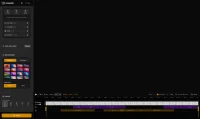
Screentell records your screen and provides built-in video editing tools to create clear, organized product demos and step-by-step tutorial videos from raw screen recordings.
LTX Studio is an AI-powered creative studio for end-to-end video production, designed for filmmakers