Screentell records your screen and provides built-in video editing tools to create clear, organized product demos and step-by-step tutorial videos from raw screen recordings.
Screentell is a screen recording and video editing tool designed for creating clear, professional product demos, tutorials, and walkthroughs. It enables users to capture their screen, webcam, and audio in one workflow and then refine those recordings into polished, shareable videos. The primary purpose of Screentell is to simplify the process of turning raw screen captures into structured, easy-to-follow instructional content without requiring advanced video editing skills.
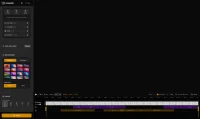
Screentell provides timeline-based editing to trim, cut, and rearrange clips, making it straightforward to remove mistakes or unnecessary sections. Users can add callouts, annotations, cursor highlights, and text overlays to emphasize important steps and improve viewer comprehension. The tool supports voiceover recording and audio cleanup, allowing creators to re-record narration or adjust sound levels for clarity. Export options typically include common video formats suitable for embedding in help centers, product documentation, onboarding flows, or sharing via links.
Please sign in to comment
💬 No comments yet
Be the first to share your thoughts!
Explore 259+ top alternatives to Screentell

Edit videos stored in Google Drive directly in the browser, adding text, cropping, trimming, rotating, adjusting brightness, removing metadata, and saving changes, including in shared folders.
LipSync AI is a tool that generates realistic lip-sync animations by aligning facial movements in video with spoken audio tracks using artificial intelligence.