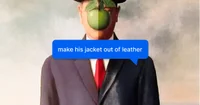
Paint By Text is a web-based AI tool that edits user-uploaded photos by interpreting and applying natural-language text instructions to modify image content and appearance.
Paint By Text is a browser-based AI image editing tool that lets users modify photos using natural language instructions instead of manual editing tools. Users can upload an image and type commands such as “make the sky more vibrant,” “remove the person in the background,” or “change the shirt to red,” and the system automatically applies the requested changes. The tool is designed to handle a range of common editing tasks, including color adjustments, object removal, background changes, style modifications, and subtle retouching.
The interface focuses on simplicity: users see the original and edited versions for comparison and can refine results by adjusting or rephrasing their instructions. Paint By Text is suitable for non-designers who need quick edits without learning complex software, as well as for professionals who want to prototype visual changes rapidly. Typical use cases include preparing images for social media, marketing materials, presentations, product listings, and concept visualization. Because the editing is instruction-driven, it can be particularly useful when collaborating across teams, allowing stakeholders to describe desired changes in plain language and iterate quickly on visual assets.
Please sign in to comment
💬 No comments yet
Be the first to share your thoughts!
Explore 372+ top alternatives to Paint By Text
AILab Tools is an online AI image processing platform that offers tools and APIs for enhancement, colorization, resizing, style transformation, and portrait manipulation.

Pixelfox AI is a visual AI platform that lets users generate, edit, and manage images and videos through customizable workflows and automation tools.
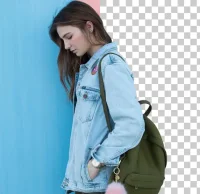
AI Background Remover is an online image editing tool focused on automatic background removal using
Deep-image AI is a web-based tool that enhances and upscales photos, generates eCommerce-ready backgrounds, and creates AI avatars from user images.