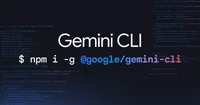
Gemini CLI
Gemini CLI is a command-line interface for interacting with Google’s Gemini models to run prompts, manage sessions, and integrate AI workflows into terminal-based development.
Gemini CLI is a command-line interface for interacting with Google’s Gemini models directly from the terminal, enabling developers and power users to integrate advanced AI capabilities into their workflows without leaving the shell. The tool supports both text and multimodal prompts, allowing users to send text, code, and image inputs to Gemini models and receive structured outputs. It provides commands for ad-hoc querying, iterative conversations, and scripted automation, making it suitable for tasks such as code generation, refactoring, documentation, data extraction, and content drafting.
Key features include configurable model selection, temperature and safety settings, and support for streaming responses, which improves usability for long-running or verbose outputs. Gemini CLI integrates with environment variables and configuration files for managing API keys and default options, supporting reproducible and shareable setups across teams. The tool can be easily incorporated into shell scripts, CI/CD pipelines, and development tools, enabling automated code review, log analysis, and batch processing of text or JSON.
Tags
Launch Team
Alternatives & Similar Tools
Explore 50 top alternatives to Gemini CLI






Thunderbit
Thunderbit is a no-code AI platform that lets users build, connect, and deploy AI workflows, assistants, and automations across data sources and applications.
Chatflowapp
Chatflowapp is a no-code platform for building, training, and deploying custom AI chatbots that integrate with websites, CRMs, and business workflows.
Comments (0)
Please sign in to comment
💬 No comments yet
Be the first to share your thoughts!