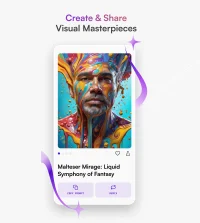
Sketchar IO is an AI-powered creative platform that helps users learn drawing, generate images from text, and enhance artwork with guided tools and templates.
Sketchar IO is an AI-powered creative platform designed to help users generate, edit, and refine visual content with minimal manual effort. It combines generative AI with intuitive design tools to assist in producing illustrations, concept art, UI elements, and other graphics from text prompts or reference images. The primary purpose of Sketchar IO is to streamline the creative workflow, making it faster and more accessible for designers, marketers, and content creators to turn ideas into polished visuals.
The platform typically supports text-to-image generation, allowing users to describe a scene, style, or concept and receive multiple visual variations. It often includes tools for refining outputs, such as style adjustments, upscaling, background editing, and color corrections, enabling users to iterate quickly without switching between multiple applications. Sketchar IO may also offer template-based starting points and preset styles, helping users maintain consistency across projects or brands. In addition, export options in common file formats make it easier to integrate generated assets into design suites, presentations, or social media workflows.
Please sign in to comment
💬 No comments yet
Be the first to share your thoughts!
Explore 582+ top alternatives to Sketchar IO

Create high-quality short-form videos and images from scripts, prompts, or clips using AI editing, captioning, and formatting tools for social media creators and marketing teams.

Chatartpro is an AI platform that creates and edits videos, images, and text, including image-to-video, video extension, image enhancement, and AI-driven rewriting and storytelling.