
Ppt Ai is a web-based tool that generates and designs presentation slides from user input using AI-driven content suggestions and customizable templates.
Ppt Ai is an AI-powered presentation generator designed to turn written ideas, outlines, or documents into complete, visually consistent slide decks. Users can input a topic, brief, or existing content, and the tool automatically structures it into a logical sequence of slides with headings, bullet points, and supporting text. Ppt Ai offers a library of professional templates, layouts, and color schemes, allowing users to quickly apply cohesive visual styles without manual formatting. The platform supports editing and refinement, enabling users to adjust content, rearrange slides, and customize design elements directly within the interface.
Key capabilities include automatic slide creation from text prompts, AI-assisted content drafting, and smart design suggestions that align visuals with the presentation’s purpose and audience. Ppt Ai can be used for business pitches, sales decks, internal reports, training materials, academic presentations, and conference talks. It helps reduce time spent on repetitive tasks such as formatting, layout adjustments, and slide design, so users can focus on message clarity and storytelling. The tool is suitable for professionals, educators, students, and teams who need to produce polished presentations quickly while maintaining consistency and a professional appearance.
Please sign in to comment
💬 No comments yet
Be the first to share your thoughts!
Explore 80+ top alternatives to Ppt Ai

Create AI-generated, brand-consistent presentations that automatically handle slide design, layout, and collaboration for sales, marketing, and business teams.

StreamAlive increases live session participation by adding interactive audience tools and real-time engagement analytics across in-person, hybrid, and virtual events on major streaming and meeting platforms.
Wonderslide AI is a presentation design tool that converts user content and brand guidelines into automatically generated, editable slide decks.
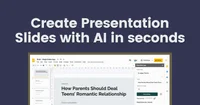
GPTforSlides is a Google Slides add-on that uses AI to summarize text and automatically generate structured presentation slides from user-provided content.
Qwen-VL-Plus is a multimodal large language model that interprets and generates text based on images, videos, and text instructions for diverse vision-language tasks.