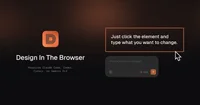
Design In The Browser is a tool that lets users select on-page elements and automatically generate corresponding code using Claude, Cursor, or Gemini command-line interfaces.
Design In The Browser is a developer-focused tool that lets you visually select any element on a live webpage and instantly generate the corresponding code using AI. Its primary purpose is to bridge the gap between visual design in the browser and implementation in code, reducing the time spent manually inspecting and rewriting UI components. By integrating directly with AI coding assistants like Claude, Cursor, and Gemini CLI, it turns on-screen designs into ready-to-use code snippets with minimal friction.
The tool works by allowing users to point and click on elements in their browser, capturing structure, styling, and layout information that can be translated into clean, editable code. It is particularly useful for reverse-engineering existing interfaces, refactoring legacy UI, or quickly prototyping layouts based on real-world examples. Design In The Browser focuses on preserving visual fidelity while generating code that can be integrated into modern frontend stacks. Its tight integration with popular AI CLIs enables iterative refinement, so developers can adjust, extend, or optimize the generated code directly in their preferred environment.
Please sign in to comment
💬 No comments yet
Be the first to share your thoughts!
Explore 164+ top alternatives to Design In The Browser

Hostinger Horizons uses AI to generate, design and deploy functional websites and web applications from user input, enabling entrepreneurs and creators to build online products without coding.

AgentNotch is a macOS menu bar app that displays real-time activity, context, and file access of AI coding assistants like Claude Code and OpenAI-based tools.

BlackBox AI is an AI coding assistant and agent designed to accelerate software development, learnin